ROLE:
DIGITAL PRODUCT DESIGNER
CLIENT:
LEARNN
PROJECT LENGTH:
3 MONTHS
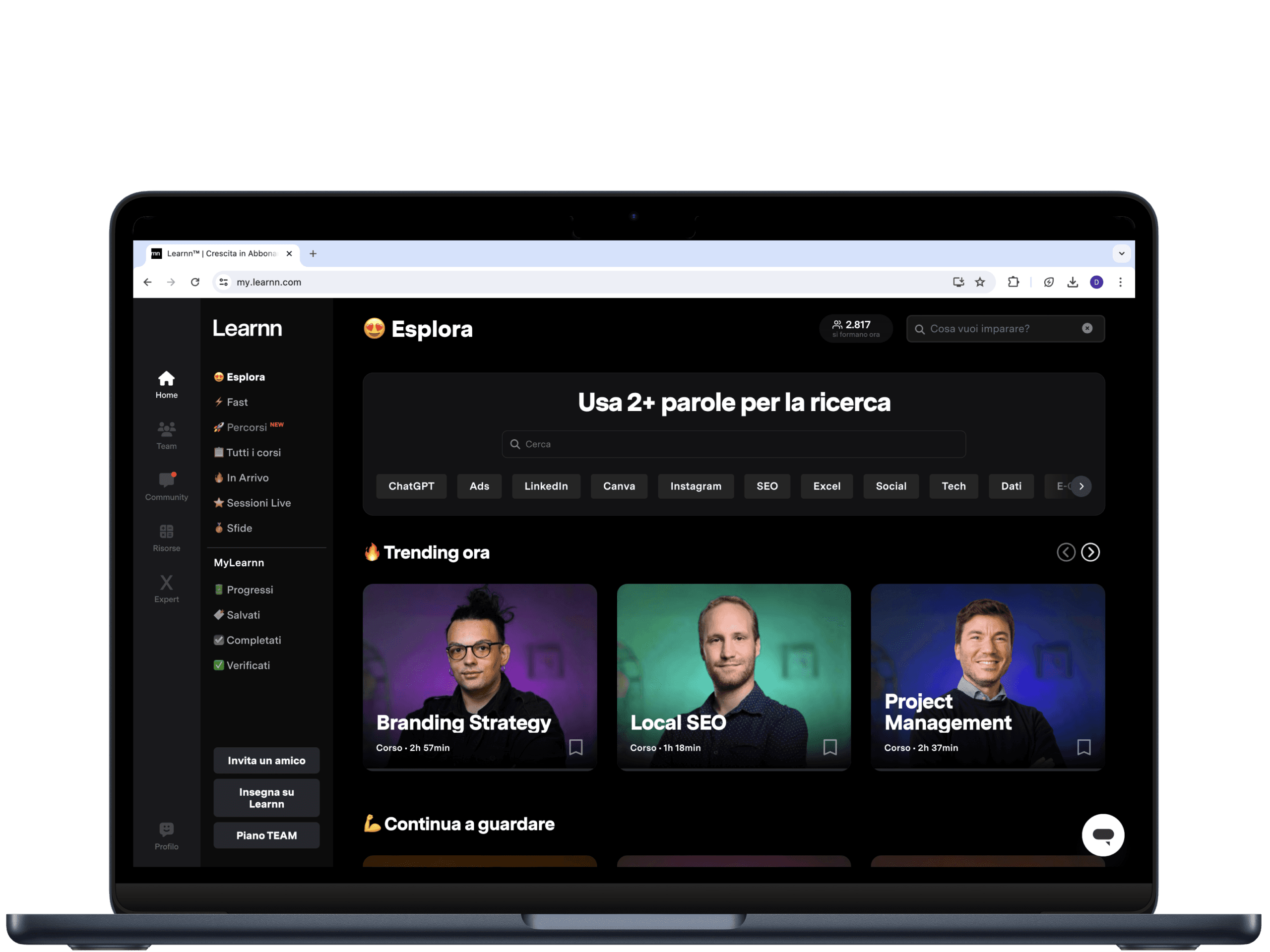
I analyzed user flows across mobile web and app, identified critical usability issues and designed targeted UX/UI improvements in collaboration with the product and development teams.
My work focused on simplifying navigation, resolving interaction frictions, and enhancing the learning experience through both tactical fixes and more strategic feature design.
Improving user experience often starts from removing friction, not adding features
Many impactful changes came from simplifying flows and resolving small but persistent issues.
Consistency across platforms is as important as single-interface quality
A good mobile experience requires rethinking patterns, not just adapting desktop ones.Small UI interventions can strongly influence perceived product quality
Fixing layout conflicts and interaction details significantly improved users’ trust in the platform.
Learnn is an Italian platform offering online training aimed at helping individuals and companies grow in the digital sector. It provides more than 220 courses developed in collaboration with experts and teams from leading companies.
The platform is used by a community of over 80,000 professionals and more than 300 companies, and is available on desktop, mobile web and iOS and Android apps.
At the time of this project, the main goal was to improve the usability and consistency of the mobile experience, which showed several friction points compared to desktop.
My contribution focused on identifying critical usability issues across platforms and proposing concrete design solutions to enhance clarity, accessibility and overall learning flow.
Shown below are selected fixes and improvements regarding:
Mobile navigation
Header and layout issues
Video player experience
Early-stage gamification
Learnn Expert section
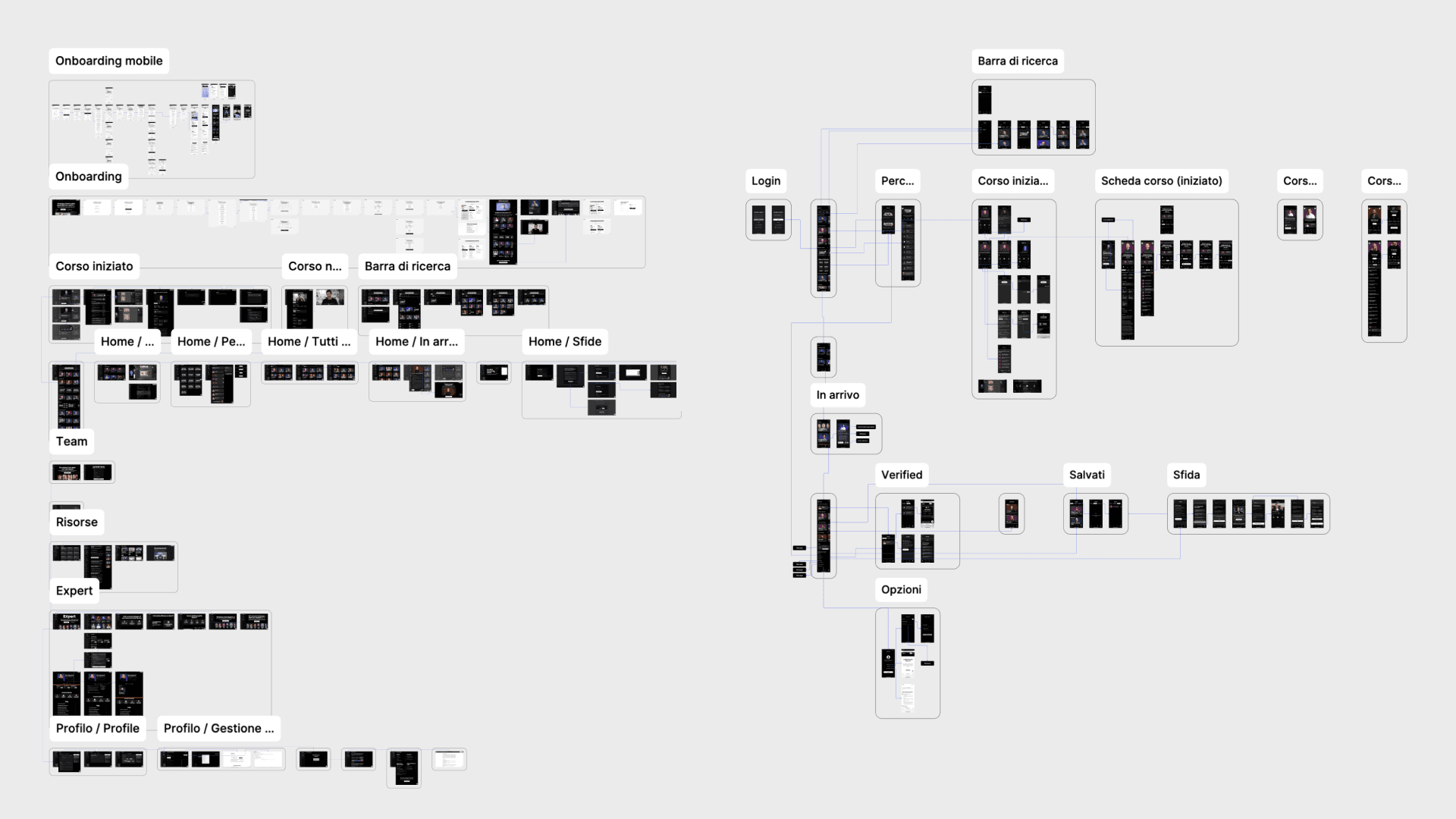
Before intervening on individual interface elements, I analyzed the main user flows across mobile web and app in order to identify where users experienced friction, confusion or drop-off.
This mapping phase helped prioritize interventions based on their impact on navigation, content discovery and lesson consumption.
The mobile menu presented several usability issues that directly affected users’ ability to orient themselves and move across the platform.
Main problems included:
A desktop-like sidebar configuration not optimized for mobile usage
Transparency and scrolling issues that allowed users to interact with content behind the menu, creating severe usability conflicts
Beyond fixing technical bugs, the navigation was restructured to better fit mobile behavior: only primary items are now visible at first level, while secondary items are placed inside expandable dropdowns.
This resulted in a cleaner, more predictable navigation experience.
Webapp Menu: the left video shows the issue, the right one the improvement.
Resolving header overflow issues.
The mobile header generated frequent layout conflicts that negatively affected both readability and interaction.
The main causes were:
The connected users widget overlapping with section titles
The search bar opening to the right and pushing content out of view
The solution focused on reducing visual noise and restoring layout stability:
The widget was hidden in critical contexts
The search bar was redesigned to open by covering the title, keeping the layout consistent and the user focused on the search task
A small intervention with a high impact on perceived quality and usability.
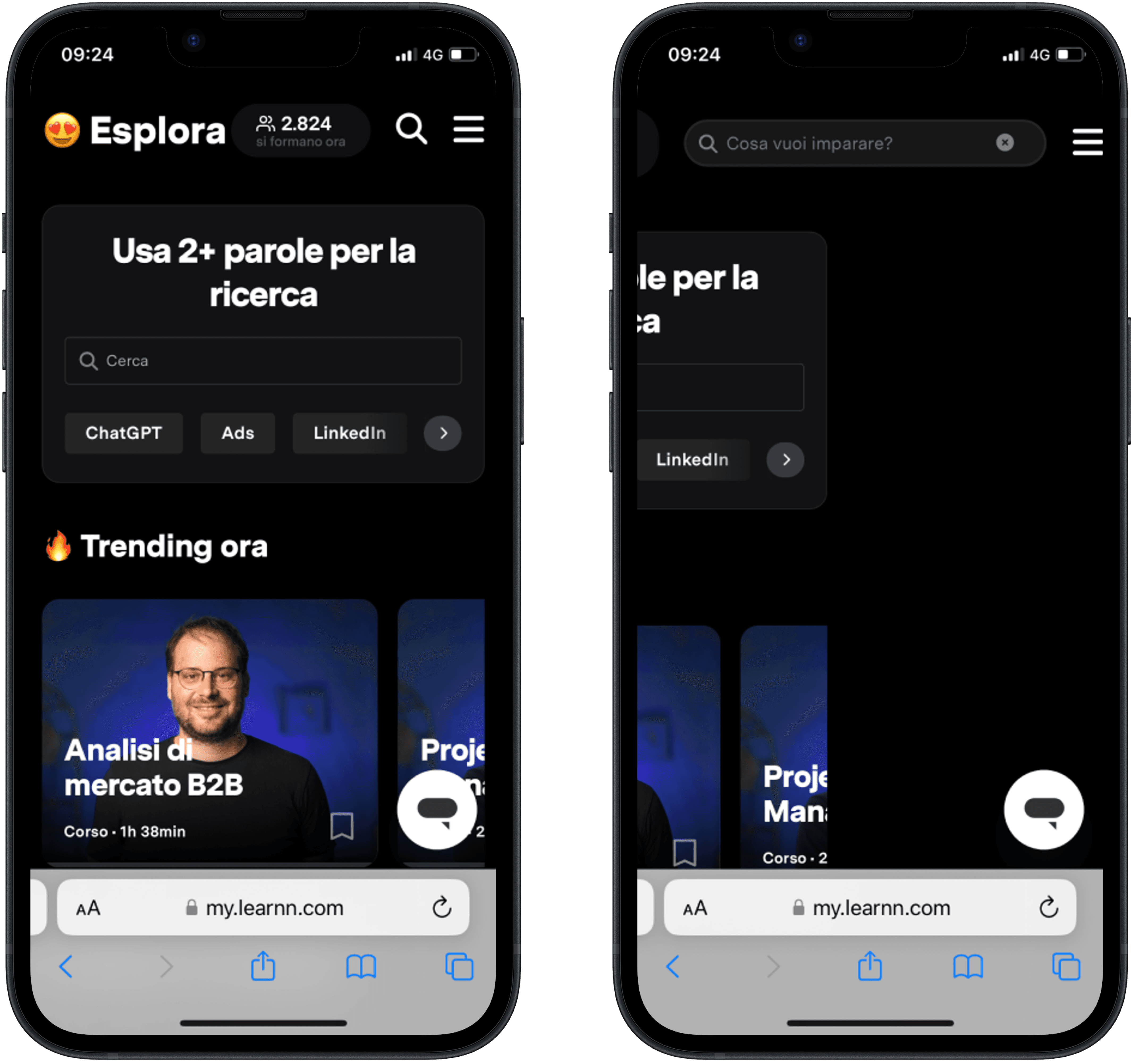
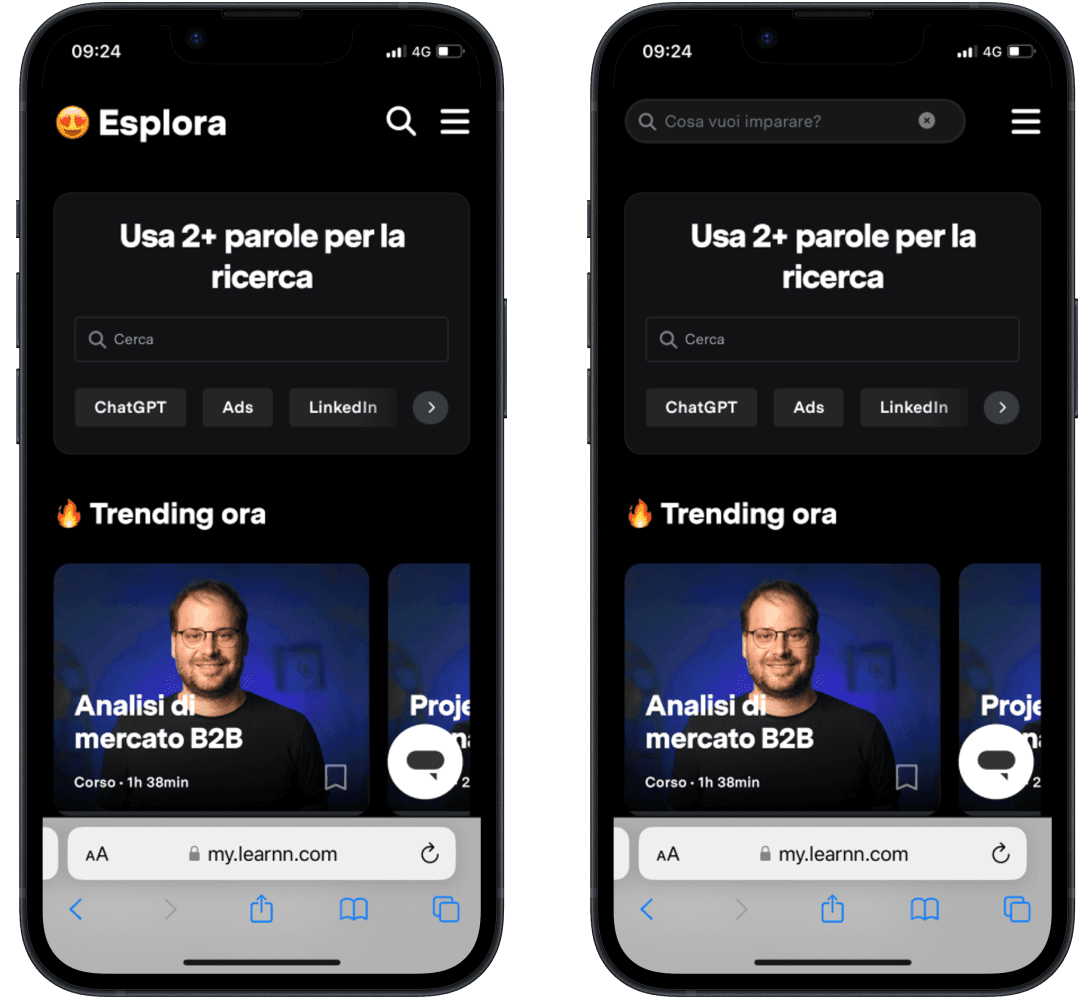
Header Overflow: from the issue to the improvement
In an e-learning platform, the video player is the core of the user experience.
While the desktop version showed no major issues, the mobile experience was not aligned with users’ expectations shaped by modern streaming platforms.
By analyzing patterns from leading services such as Netflix, YouTube, Domestika and MasterClass, and adapting them to Learnn’s learning context, we introduced several improvements:
Relocating key controls directly onto the video surface for faster access
Highlighting frequently used features such as transcripts and notes
Reducing the prominence of less critical actions, like error reporting
Rather than replicating existing patterns, the goal was to create a player optimized for learning, not just for watching
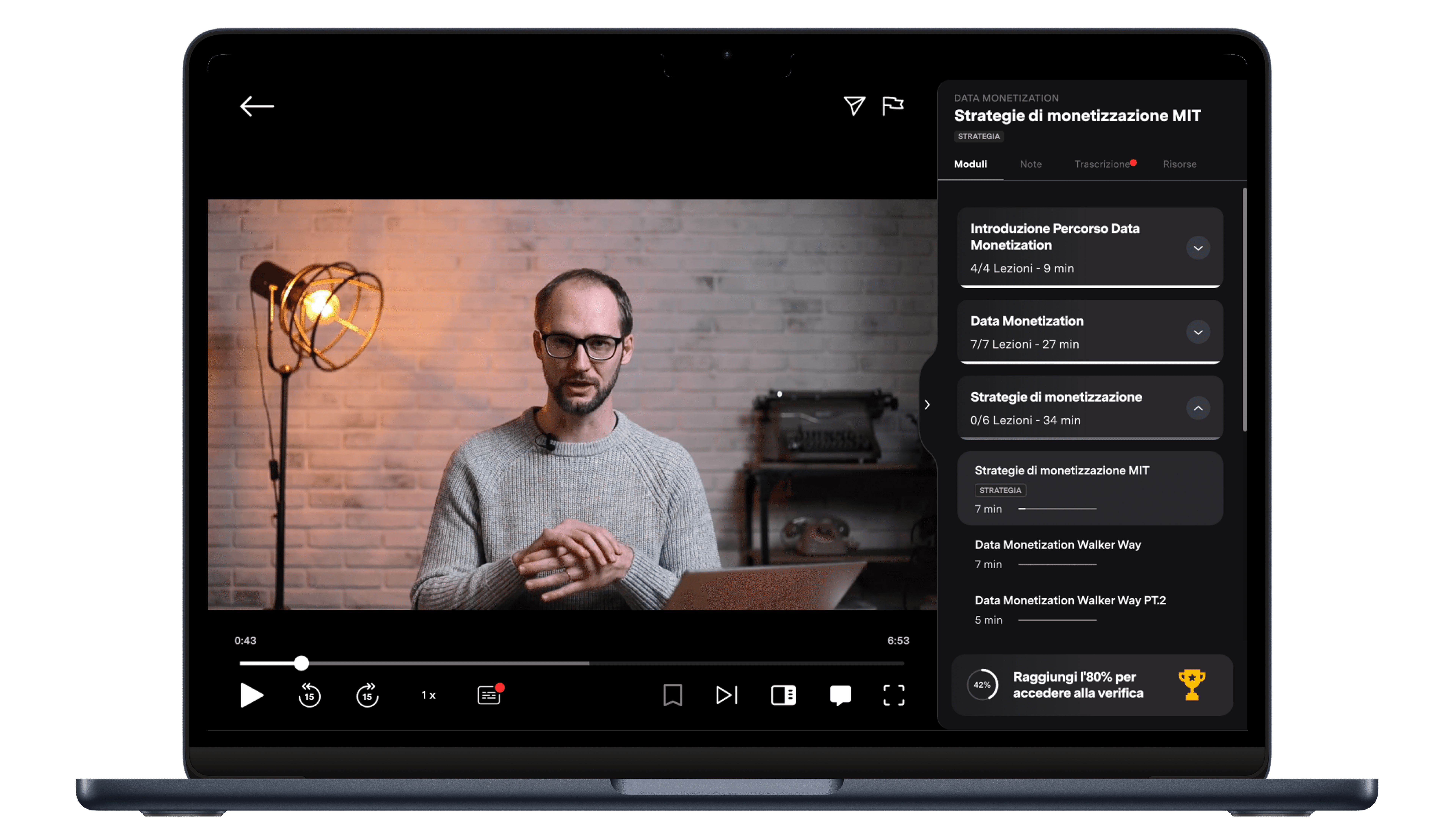
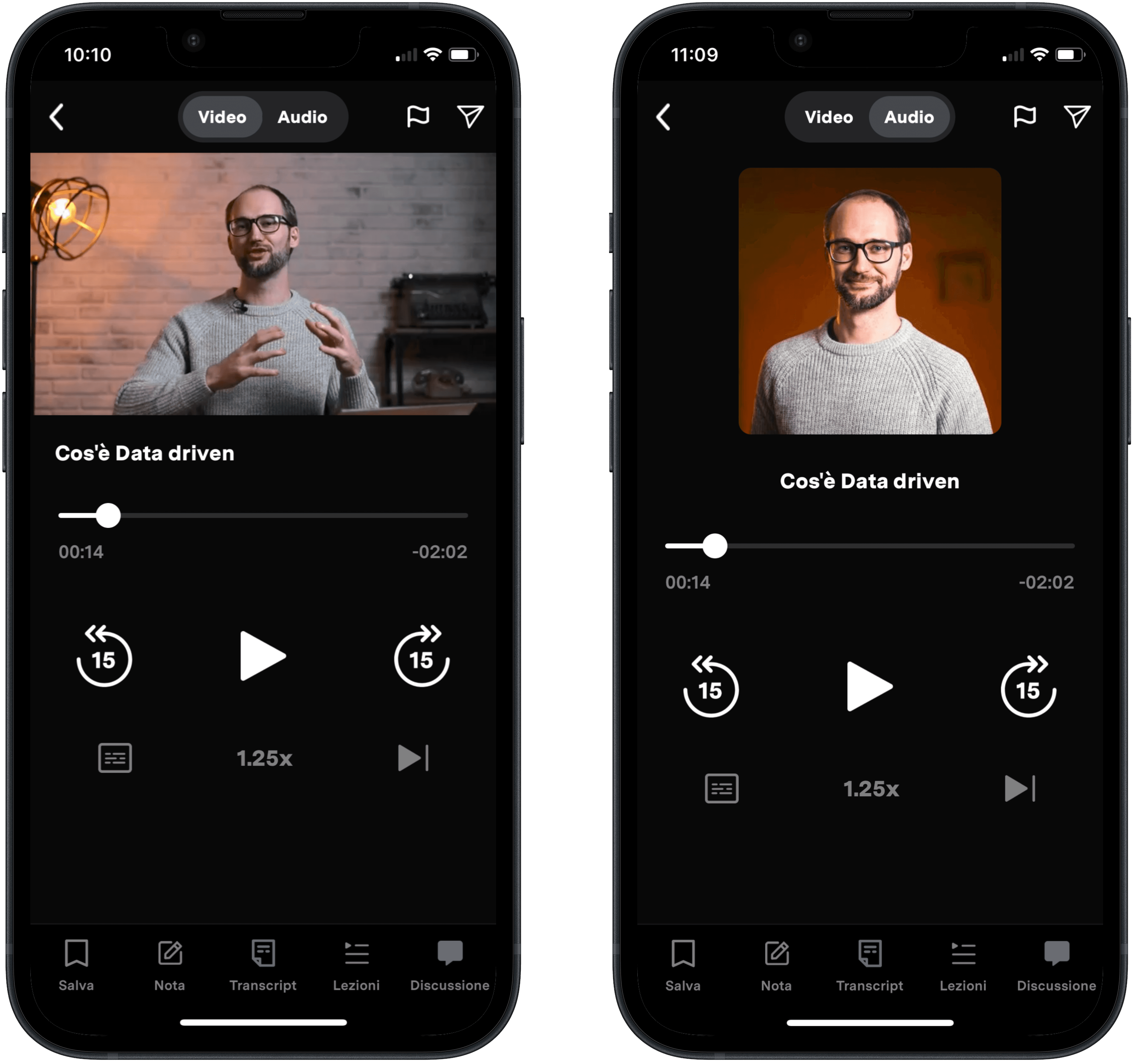
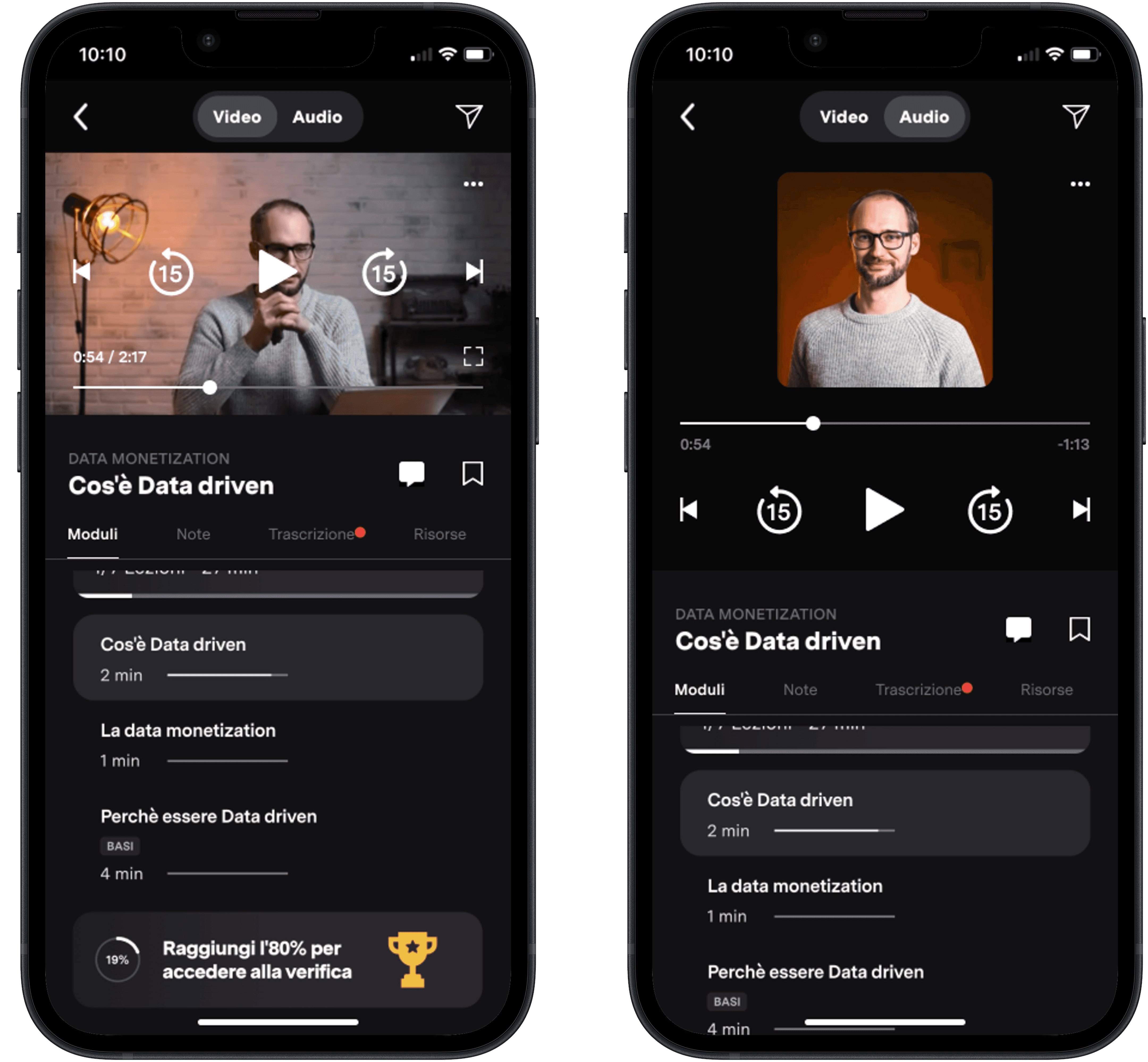
Mobile App player Video & Audio: before and after
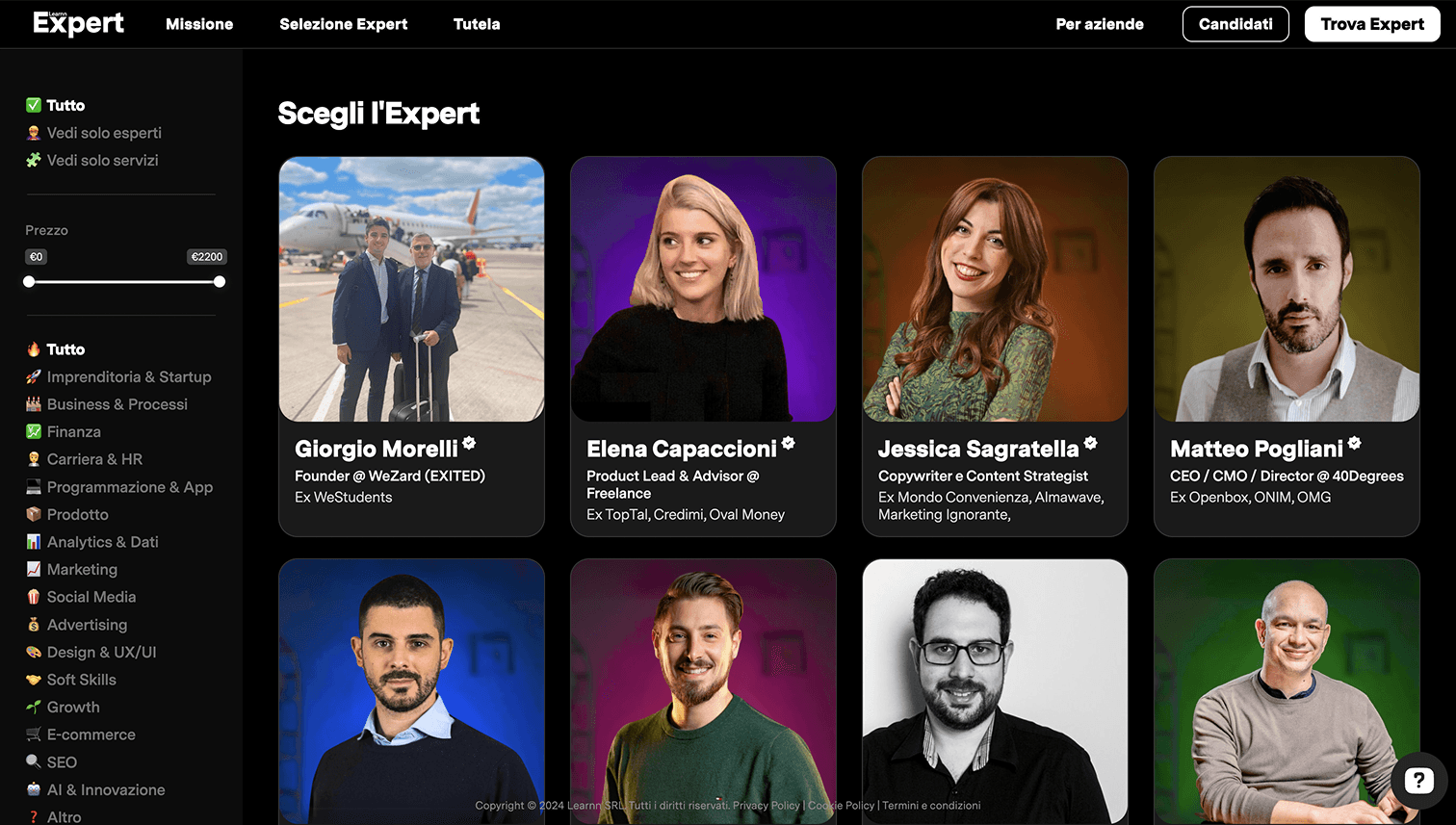
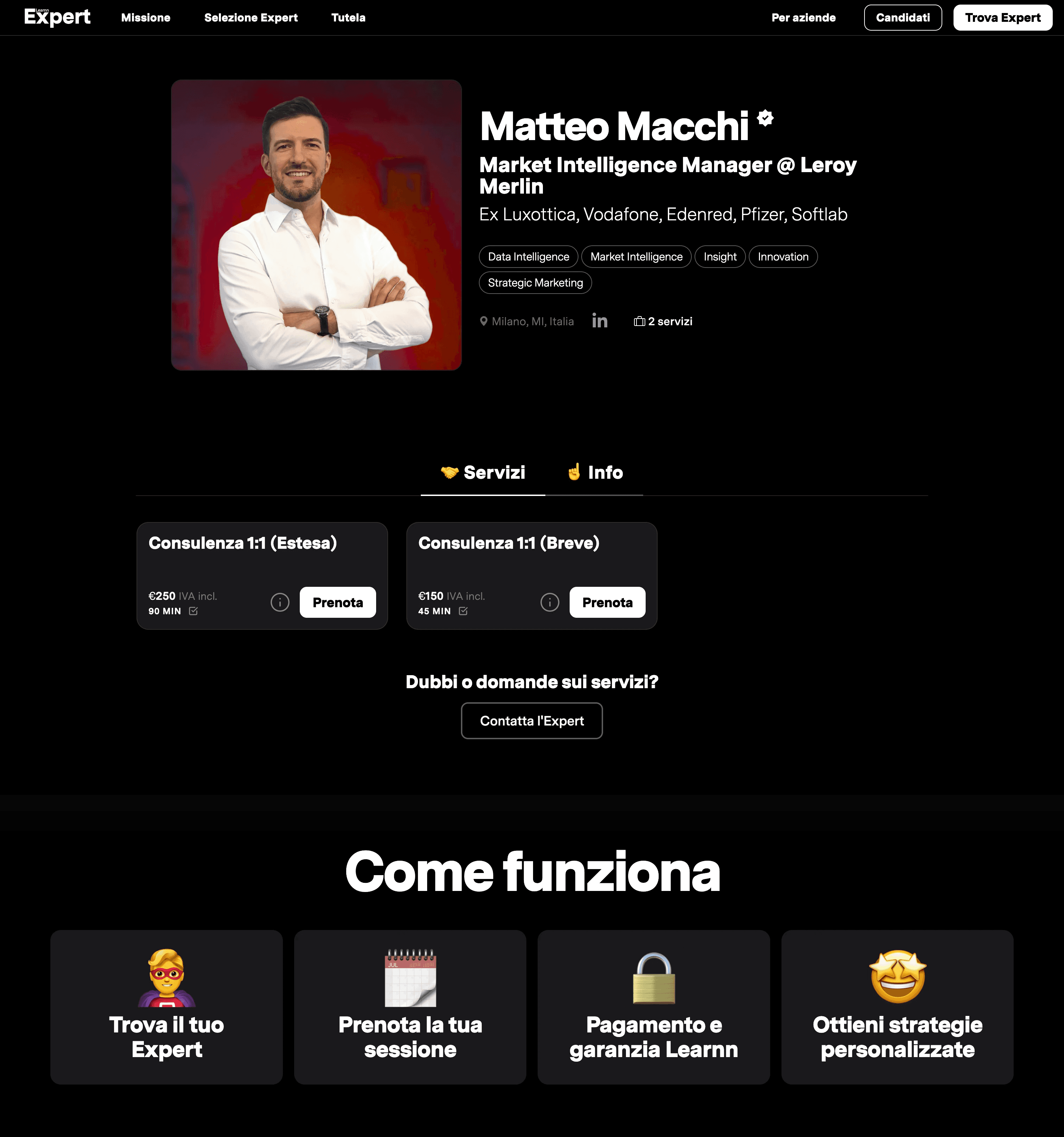
Learnn Expert is the section dedicated to showcasing instructors and their content, acting as a bridge between users and the educational value of the platform.
My contribution focused on defining the basic information architecture and designing the UI for both:
The main Expert hub
Individual expert profile pages
The goal was to make content exploration intuitive and to clearly communicate each expert’s value and specialization.
From an information architecture perspective, the work involved:
Structuring content hierarchies between experts, courses and categories
Defining navigation patterns to move smoothly between educational topics and individual profiles
Reducing cognitive load by grouping related information and prioritizing key elements
On the UI side, the focus was on:
Creating a consistent visual language aligned with the rest of the platform
Ensuring readability and visual hierarchy
Supporting both content discovery and personal branding of each expert
This section plays a key role in reinforcing Learnn’s credibility and in helping users choose what and who to learn from.
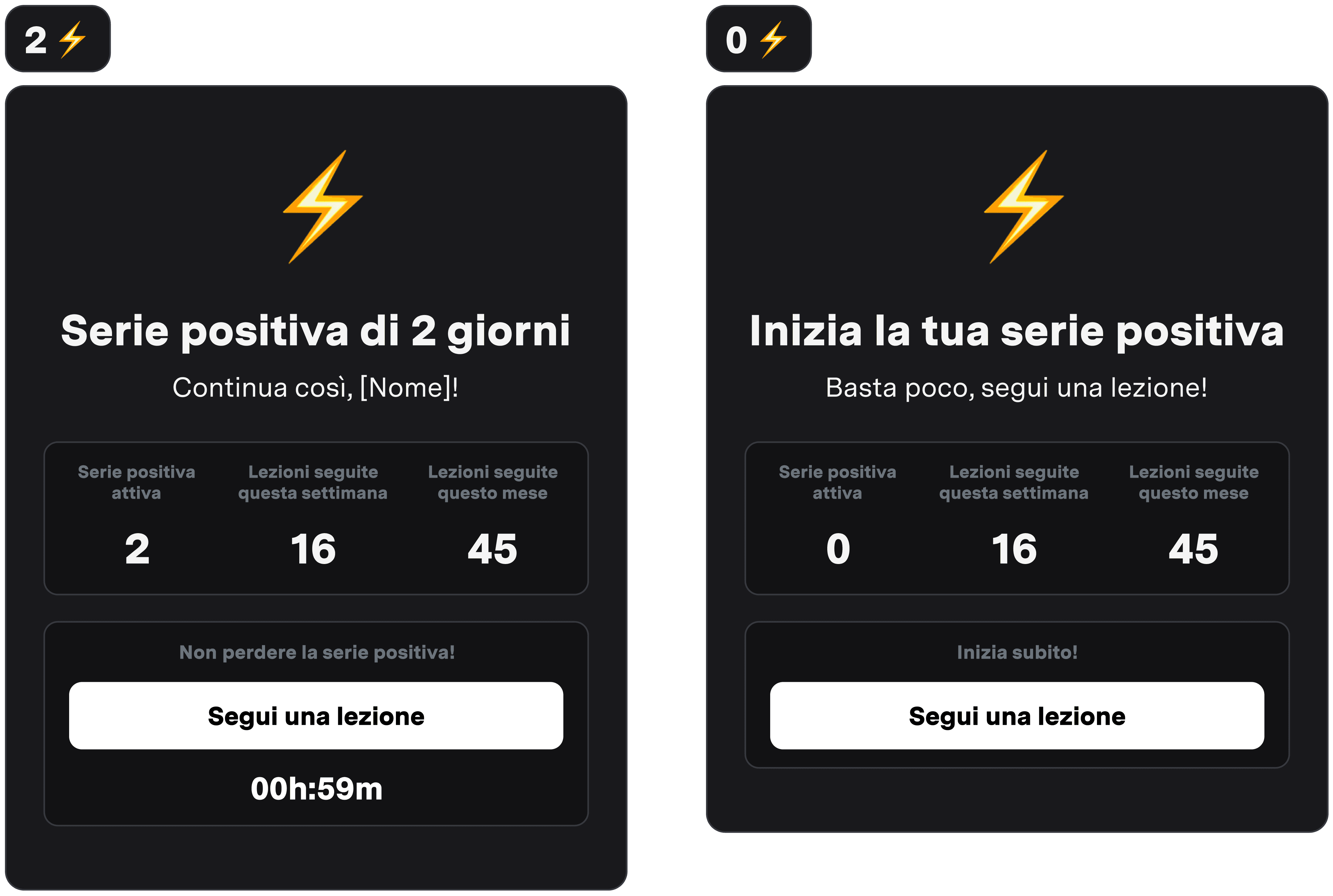
Beyond usability fixes, we explored how to increase long-term engagement through lightweight gamification.
At that stage, Learnn’s infrastructure was being upgraded to support richer behavioral data.
In parallel, we designed an MVP based on the available data to start validating engagement mechanisms early.
The concept consists of a simple widget showing:
User streaks
Time remaining to maintain them
A direct CTA to continue learning
For users who had not yet started a course, the widget redirects to the course catalog to encourage first engagement.
This approach allowed us to test motivational dynamics with minimal technical overhead.